My meal planner
Context
My meal planner (Mijn maaltijdplanner) lets Albert Heijn customers plan all their meals for the week in a few clicks, right in the cooking tab of the AH app. It turns “what are we eating today?” from a daily question into a quick weekly plan.
Deciding what to eat every day takes time and energy. Customers who plan ahead shop smarter, waste less and stress less, but planning a week of meals across 21,000+ recipes, a shopping list and a busy schedule is a hassle. We wanted to make planning ahead as easy as picking tonight’s dinner.
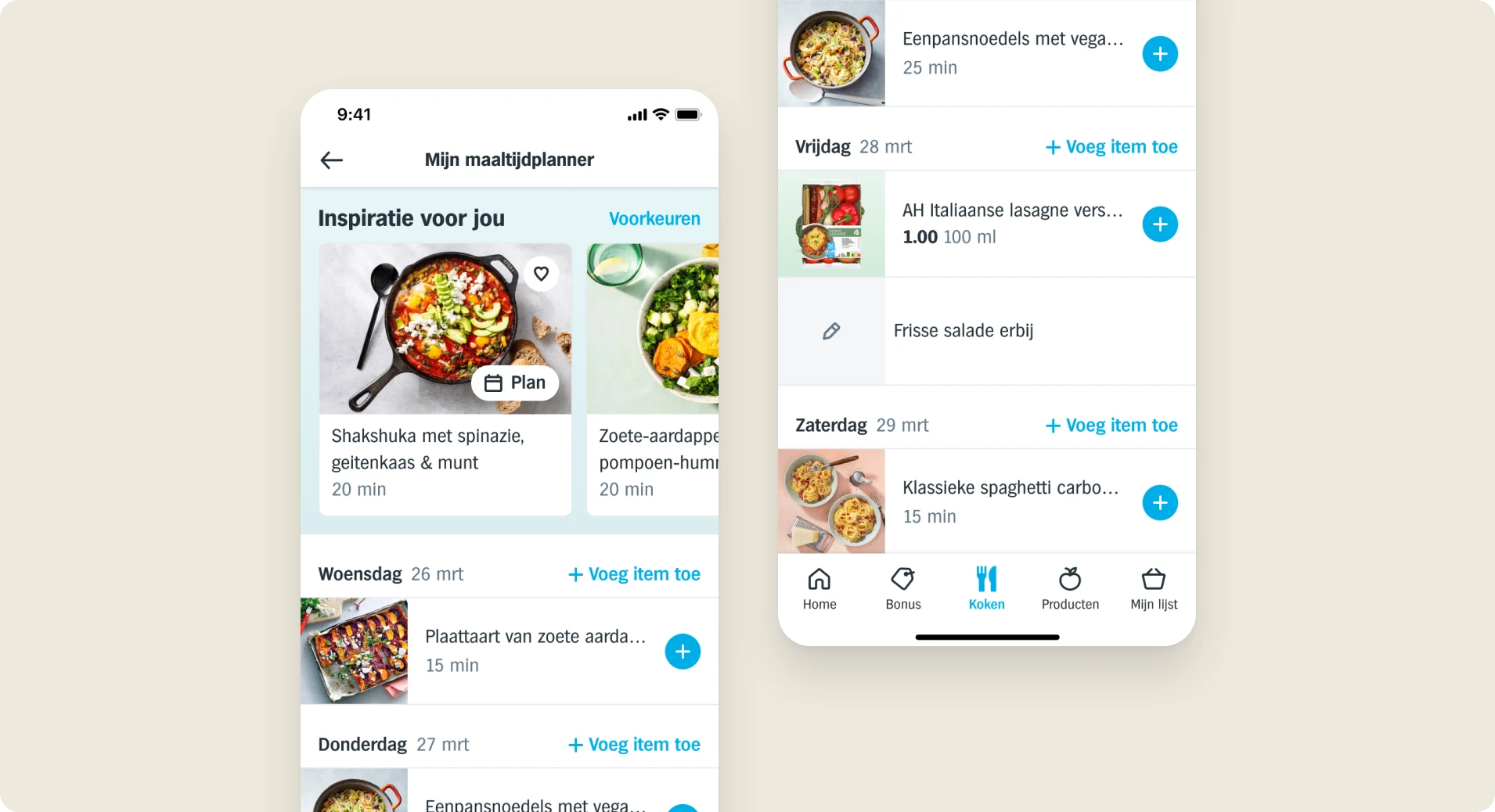
With My meal planner, customers fill their week with recipes in a few clicks and keep an overview of what they’re eating. It works alongside the ready-made weekly menus from Allerhande, so customers can start from a suggestion or build their own week.
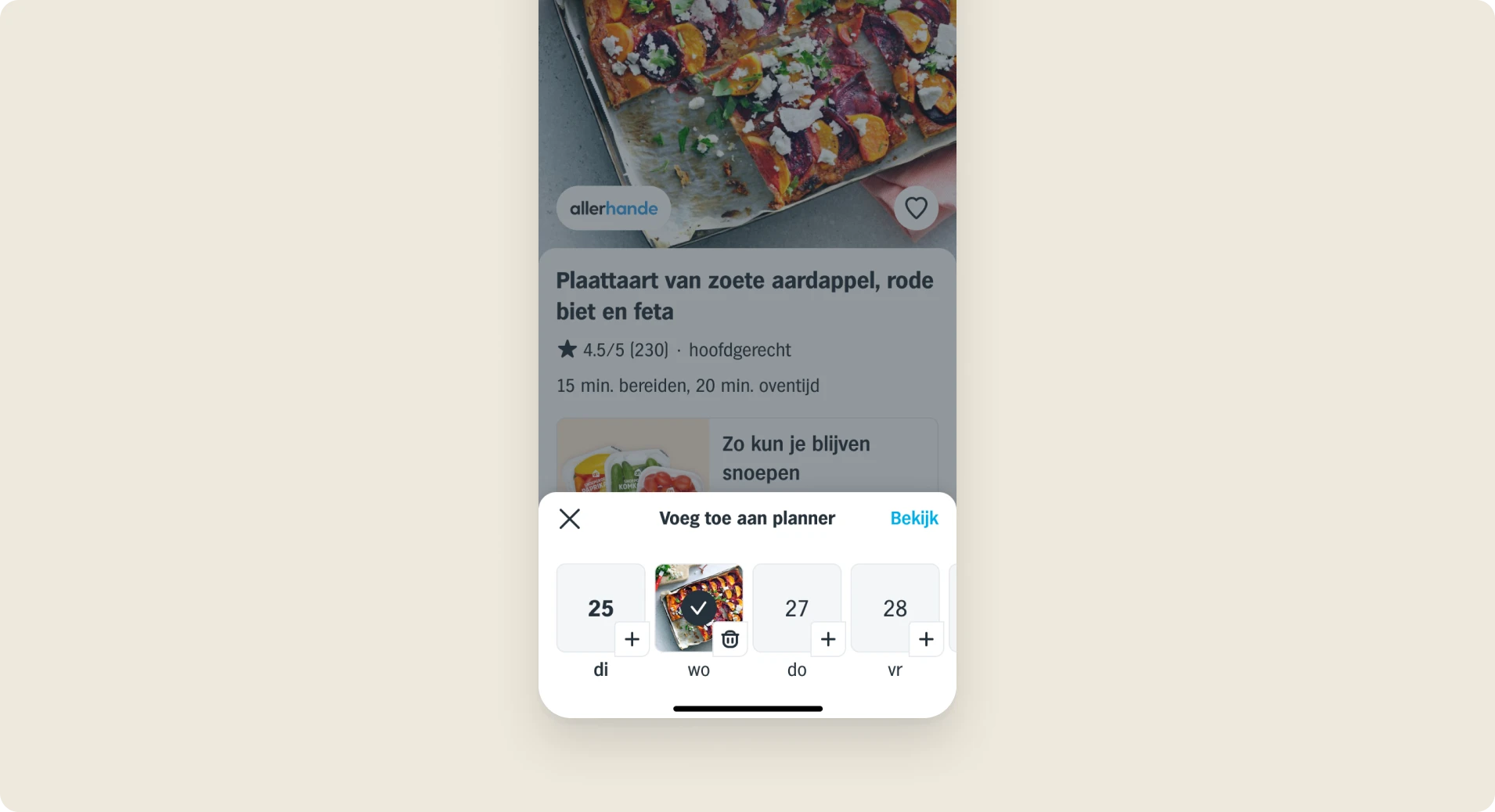
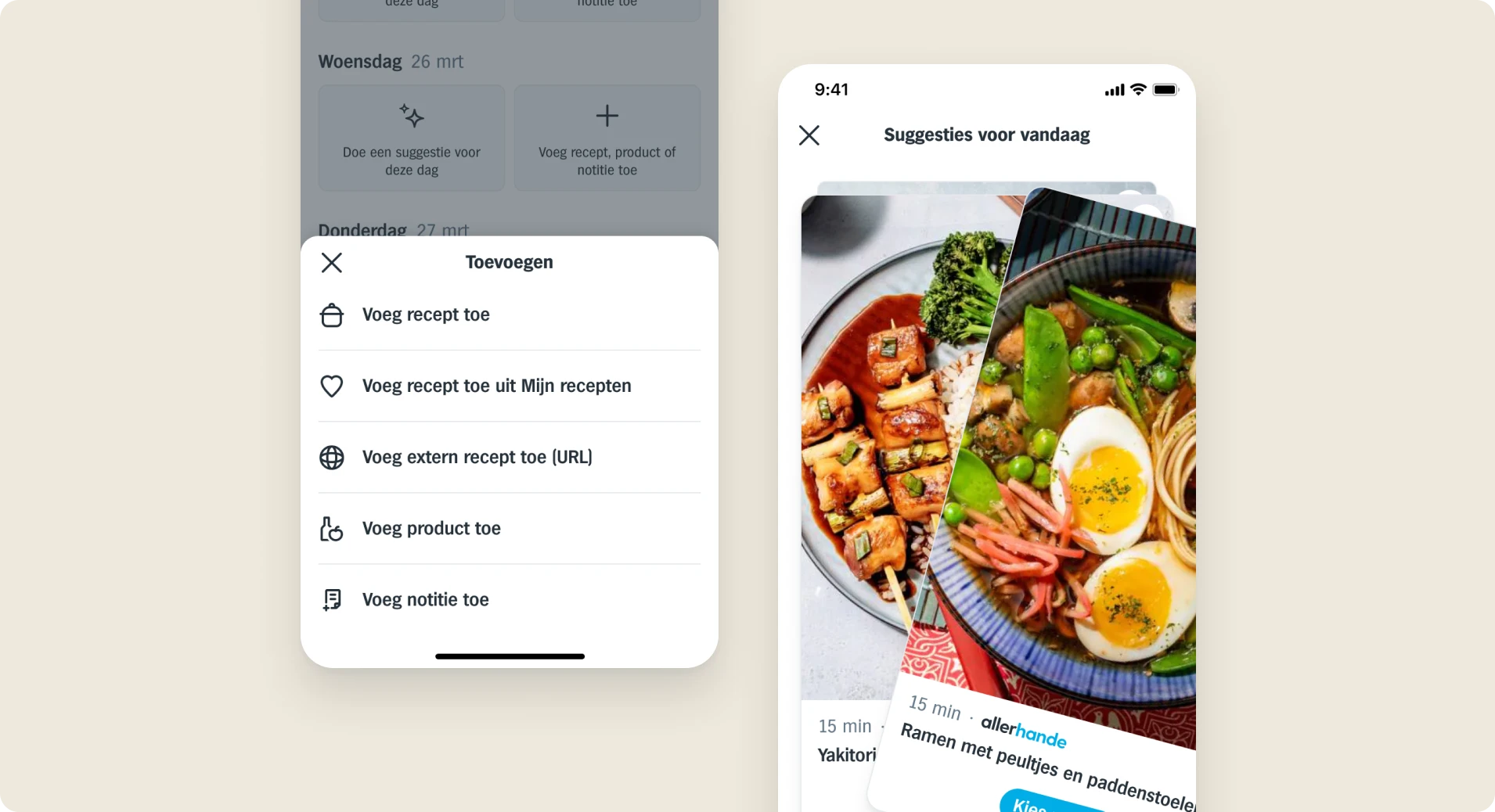
- Plan the week: add Allerhande, your own or external recipes, products and notes to specific days. Or if you’re not sure; get inspiration or check your previously planned items. Up to 2 weeks ahead.
- Stay in overview: see the upcoming days at a glance.
- From plan to basket: add the ingredients to your shopping list.
My role
We saw a clear need among customers for convenience and efficiency, and designed the planner to answer exactly that.
I was involved from the concept phase, I was lead designer and did a lot of research together with UX Research:
- Customer interviews to understand how people plan their meals today.
- Quantitative research to validate needs at scale.
- Usability tests to see where the design worked and where it didn’t.
Based on these insights I iterated step by step towards the final UX and UI design.